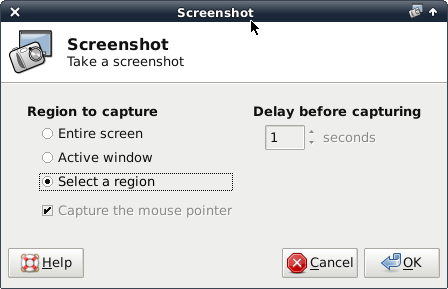
So you want a similar Print Screen command in your Xfce desktop. This is already done by xfce-extra/xfce4-screenshooter. Just install it then create a keyboard shortcut that is pointing to your /usr/bin/xfce4-screenshooter and you got yourself a Print Screen shortcut. Now, every time you want to create a screen snapshot just press your Print Screen command (or keys combination) from your keyboard and the xfce4-screenshooter will be launched automatically:
Comments
No comments yet
Be the first to leave a comment.
Leave a comment