So you have a image file and you want to replace a colour with other (e.g. yellow with red and white blue):

You have Gimp and you don't know how to do it. It happens sometime, especially to me. But here it is how to rotate colors in Gimp:
make sure that you image's mode is RGB (menu Image > Mode > RGB)
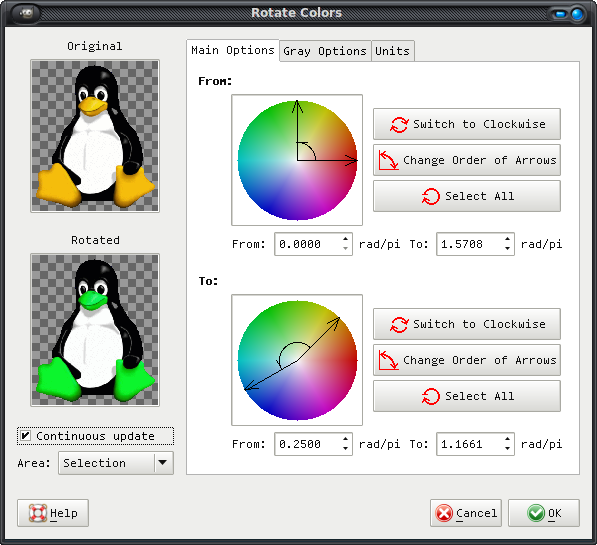
select Color > Map > Rotate Colors
you have he source (From) colour panel and the destination colour panel (To); use those two arrows inside the colour wheel and rotate them (counter) clockwise until you get the colour you want
Others examples can be found here and here and perhaps in many other places.
Comments
No comments yet
Be the first to leave a comment.
Leave a comment